How to change the WordPress admin username
How to change the default admin WordPress login name:
Login to your cpanel
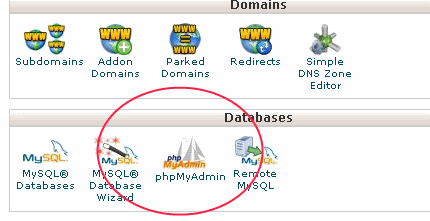
Using your hosts MySQL administration tool (I.E. phpmyadmin), locate and select your WordPress database
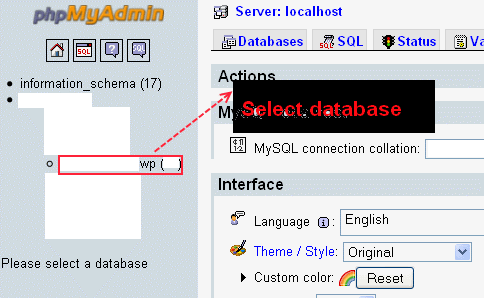
From your WordPress database, locate and select the wp_users table (Note: the wp prefix may differ) and then click the browse icon

Next click edit

Under the user_login column, change admin to your preferred WordPress administrative login name and then click go

[click to enlarge]
Now, you should be able to login with your new administrative WordPress login username

Leave a Reply